How to Promote Your Chrome Extension Online
We noticed many founders overlook the sheer scale of the Chrome browser market. It dominates, holding a 64.32% share of internet browsers globally. This isn't just a number; it’s a gaping hole in many organic growth strategies.
Chrome extensions, by their nature, can act as a 'legal parasite SEO campaign.' They generate indexed landing pages directly within Google's search results. Ivan Palii of Sitechecker, for instance, reported getting around 20,000 users from Google search to their Chrome extension just by leveraging this.
But driving user growth for your extension goes beyond simply listing it on the Chrome Web Store. You need a gritty, multi-channel offensive. That means paid promotion, strategic directory submissions, and a relentless push for organic search visibility across the web.
Why business growth starts with Chrome extensions
Chrome extensions can be the engine for serious business growth if you play it right. Think lead generation, amplified brand awareness, and even direct revenue streams.
Here's how building and promoting an extension transforms your strategy:
- Lead Generation Goldmine: Extensions can capture user data (with consent, of course). Offer a free tool, collect emails, and nurture leads directly within the Chrome environment.
- "Legal Parasite SEO" Advantage: This is where things get interesting. The Chrome Web Store (CWS) listings are indexed by Google. This means your extension's page can rank for competitive keywords, acting as a "legal parasite SEO campaign" that drives organic traffic.
- Brand Awareness Amplifier: A well-designed, useful extension puts your brand directly in front of users every day. Think subtle branding, helpful features, and a constant reminder that you're there to solve their problems.
- Direct Revenue Possibilities: Don't underestimate the potential for direct income. GMass, an email marketing platform, pulls in over $200K in monthly recurring revenue through its Chrome extension. That's not pocket change.
The key is to build something genuinely useful, not just another gimmick. Now, while Chrome holds a dominating 64.32% share of the browser market, according to recent data, remember that users are savvy. Your extension needs to solve a real problem.
But don't just launch and hope for the best. To boost your SaaS, make sure to check out how to launch successfully on platforms like Product Hunt.
Which extension type should you promote?
The type of Chrome extension you should promote depends heavily on your target audience and overall business goals. Are you offering a standalone utility or a SaaS companion? This dictates your marketing.
Think about it: utility extensions (like Detailed SEO Extension for quick on-page data) need a different strategy than SaaS companions (like GMass). The former relies on discoverability in the Chrome Web Store (CWS) for a broader audience. The latter leverages its existing user base to improve the SaaS, acting as a feature "add-on."
- Utility Extensions: Focus on high rankings in the CWS and organic search through indexed landing pages.
- SaaS Companion Extensions: Prioritize integration within your SaaS platform, targeting current users to boost engagement.
And a good extension title should be clear, descriptive, concise, and unique.
The promotional approach is drastically different for each. The Detailed SEO Extension, for example, must rank in the Chrome Web Store. Sitechecker reached 200k+ installs in November 2024, proving the power of a well-promoted utility extension.
But here's the catch: ranking in the CWS isn't a walk in the park. The Chrome Web Store ranks items based on user ratings, usage statistics (downloads vs. uninstalls), design, purpose, user need, setup intuitiveness, and ease of use. That’s a mouthful, but it boils down to quality and usefulness. This also provides a landing page on Google SERP for target keywords.
So, how do you choose? Ask yourself:
- What problem are you solving?
- Who is your ideal user?
- How does the extension fit into your overall strategy?
Answering these questions will steer you towards the right type of extension to prioritize and, consequently, the best promotional channels. And for an extra boost, consider how to get backlinks to improve the ranking of your extension.
Next, we'll look at specific strategies to boost your extension's visibility, starting with the Chrome Web Store itself.
Chrome Web Store SEO optimization steps
CWS SEO boils down to making your extension discoverable and appealing within the Chrome Web Store. Think of it as traditional SEO, but tailored for extensions.
First, nail your keyword research. What terms are users typing in when searching for extensions like yours?
Here's how to do it:
- Chrome Web Store Search: Start typing potential keywords into the CWS search bar and see what suggestions pop up. This gives you immediate insight into popular search terms.
- Google Keyword Planner: Use Google's Keyword Planner to find related keywords, search volume, and competition. (Yes, it works for CWS SEO too.)
- Competitor Analysis: Examine the titles and descriptions of competing extensions. What keywords are they targeting?
Once you've identified your target keywords, strategically incorporate them into your extension title and description.
- Extension Title: Keep it clear, concise (under 128 characters), and keyword-rich. Don't stuff it with keywords, but make sure your primary target keyword is included.
- Extension Description: The description is your chance to elaborate on the extension's features and benefits. Use your secondary keywords here, and write in a way that's both informative and engaging.
But keyword optimization is just one piece of the puzzle. The CWS algorithm also considers usage statistics, such as downloads versus uninstalls. An extension with a high number of downloads and low uninstall rate signals to the CWS that it's valuable and trustworthy.
So, focus on providing a great user experience from the start. Address user feedback, fix bugs promptly, and continually improve your extension based on user needs. A positive user experience translates into higher ratings, more downloads, and lower uninstall rates, all of which contribute to higher rankings in the CWS. Speaking of visibility, to broaden your SaaS reach, consider your guide to SaaS growth through directory submissions.
Also make sure that you promote your extension via impressions in the Chrome Web Store, impressions in Google Search, traffic from your website, and external activities like social media and PPC campaigns.
Next, let's look at how to use your own website to boost extension downloads.
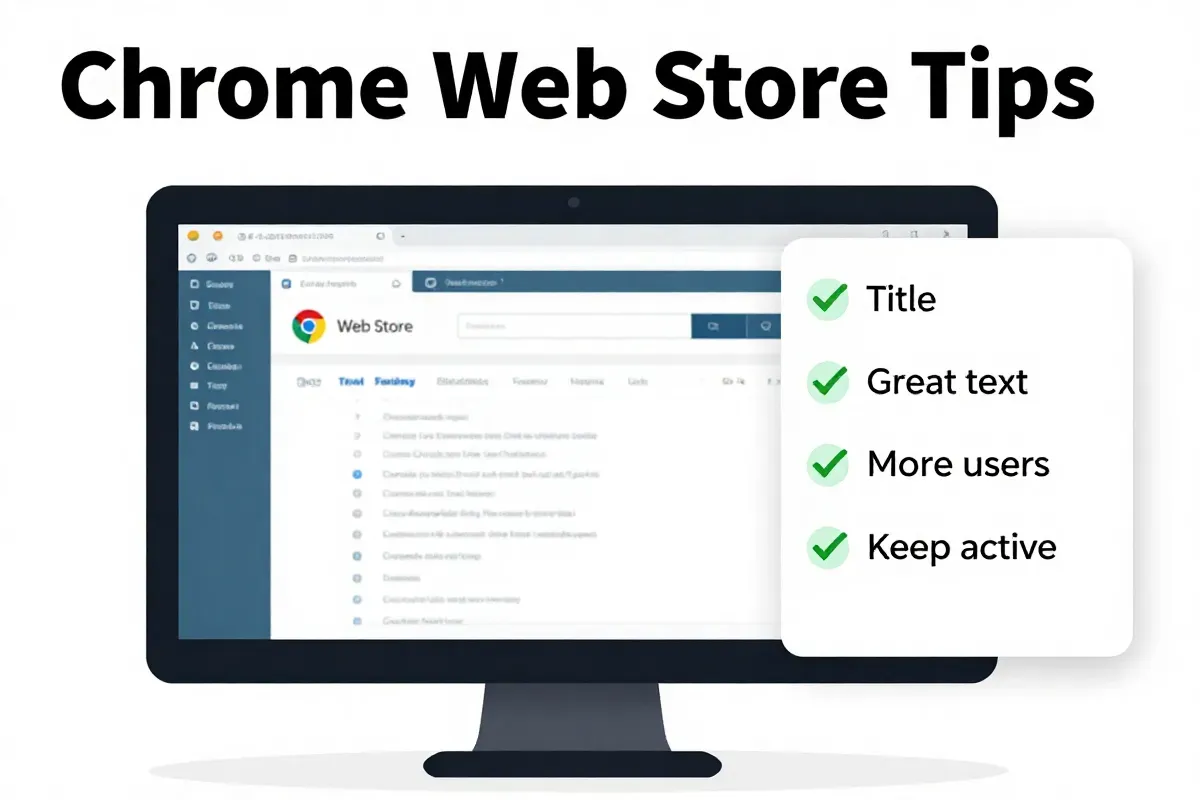
How to do keyword research for the Web Store
CWS keyword research isn’t about guessing; it’s about understanding what phrases your target users actually type. Neglecting this will bury your extension in the store.
First, think like your user. What problem does your extension solve? Then, brainstorm related terms. After that, it’s about validation.
Here’s the drill:
- Chrome Web Store Autocomplete: Type your seed keywords into the CWS search bar. Pay close attention to the suggestions that appear. These are real searches, giving you direct insight into popular queries.
- Competitor Titles and Descriptions: Scrutinize your competitors' listings. What keywords are they prioritizing in their titles and descriptions? Don't copy, but identify gaps and opportunities. Which relevant terms are they missing?
- Mine Long-Tail Keywords: Don't just chase generic keywords. Go after long-tail keywords - those longer, more specific phrases that users type when they know exactly what they need. Long-tail keywords may have lower search volume, but they convert higher and face less competition.
- Don't Forget Synonyms: Users may search for similar things using different terms. It's important to check for the range of keywords available so you don't miss potential traffic.
The goal is not just to find keywords, but to find relevant keywords. Terms that align with your extension's core functionality and solve a real user problem. Otherwise, you're optimizing for the wrong audience.
Next, we'll look at how to use your own website to boost extension downloads. For an additional reach, make sure to check out the best online directories for SaaS startups.
High converting visual assets for your listing
Visual assets are make-or-break for CWS conversion rates. Users scroll fast. Your screenshots and video are the sales pitch, not just decorations.
It starts with knowing the rules. For screenshots, you're capped at five images, and they should be 1280x800 or 640x400 pixels. Don’t violate this.
Here's how to grab attention with screenshot design:
- First Screenshot Focus: The first screenshot is prime real estate. Show the core benefit immediately. Use a clear text overlay highlighting the key feature (e.g., "Instantly Find Competitor Keywords").
- Text Overlays Are Mandatory: Don't just show the UI. Annotate your screenshots with concise text that explains what's happening and why it matters to the user. Think captions.
- One Feature Per Screenshot: Resist the urge to cram everything in. Each screenshot should highlight a single, key feature, with a text overlay that drives the point home. User intuition is key.
- Show, Don't Tell: Use arrows and callouts to guide the user's eye to specific areas of the UI. Make it obvious what they should be looking at.
But video can hook them, too. You get one promotional video (strongly recommended), and it needs to be under 30 seconds. The point? Show the problem, solution, and immediate benefit.
- Grab Attention Fast: The first 3 seconds are critical. Start with a compelling visual or a pain point that resonates with your target audience.
- Focus on Use Cases: Don't just list features. Show the extension in action, solving a real problem that users can relate to.
- Keep it Short and Sweet: Get to the point quickly. Nobody wants to watch a long, drawn-out video. 30 seconds is your limit – use it wisely.
- Call to Action: End with a clear call to action, like "Install Now" or "Try it Free." Make it easy for users to take the next step.
It’s easy to skip this, but don't. Mediocre visuals kill conversion. Invest in quality assets. Also, consider that Chrome extensions can act as a 'legal parasite SEO campaign,' generating indexed landing pages and organic traffic through the Chrome Web Store.
Next up, we’ll look at using your own website to boost extension downloads.
Screenshot design best practices
Your first two screenshots are prime real estate. Use them to smash the user's primary pain point immediately above the fold.
Don’t save the best for last; most users won’t scroll. Instead, give the most important information first, then fill the rest with additional benefits.
Here's how to ensure your screenshots grab attention:
- High-Contrast Colors: Use colors that pop and stand out against the Chrome Web Store's white background. Think bold blues, vibrant greens, or eye-catching oranges.
- Large Fonts: Make your text overlays readable at a glance. Use a font size of at least 24 points, and choose a font that's easy to read (e.g., Arial, Helvetica, Open Sans).
- Visual Hierarchy: Guide the user's eye with a clear visual hierarchy. Use different font sizes, colors, and weights to emphasize the most important information. Think headlines, subheadlines, and bullet points.
- Feature Callouts: Use arrows, circles, and other visual cues to highlight specific features or benefits. Make it obvious what you want the user to focus on.
The goal is to create a visual hierarchy that guides the user's eye and makes it easy to understand the extension's value. Don't make them work for it.
Next, we’ll look at using your own website to boost extension downloads. Also, to broaden your SaaS reach, consider your guide to SaaS growth through directory submissions.
Paid advertising options for extensions
Paid advertising isn’t just for SaaS platforms; it’s a potent way to get your Chrome extension in front of relevant users, fast. The trick is pinpoint targeting options and killer ad copy.
Think of Google Search Ads as your express lane to users actively searching for solutions your extension provides. And social media ads? Ideal for B2B SaaS companions.
Here’s the breakdown:
- Google Search Ads: Target keywords related to your extension's functionality. If you've built a tool that analyzes website speed, bid on keywords like "website speed test Chrome extension" or "check website performance." Write ad copy highlighting the extension's unique features and benefits.
- Social Media Ads (LinkedIn/X): If your extension targets a specific professional demographic (e.g., marketers, developers), LinkedIn and X offer laser-focused targeting options. Run ads showcasing how the extension solves their pain points, using compelling visuals and clear calls to action.
But it's not enough to simply create ads; you've got to optimize them. This means A/B testing different ad copy variations, experimenting with targeting options, and tracking your results. Consistently refine your campaigns based on the data to maximize your ROI. And remember to specify negative keywords, so you don't spend money on irrelevant clicks.
The catch? PPC campaigns can burn cash quickly if you don't know what you’re doing. Start small, track everything, and iterate. For broader visibility of your SaaS, check out your guide to SaaS growth through directory submissions.
Next, let's examine how to tap the organic power of content marketing for your extension.
Google Search Ads vs Social Media Ads
Google Search Ads convert better for extensions solving immediate needs. Social Media Ads work for discovery. The difference? Intent-based marketing.
Someone searching "PDF editor Chrome extension" needs a PDF editor now. But someone scrolling through LinkedIn might stumble upon an interesting project management extension and think, "Huh, maybe I need that."
Here’s the split:
- High-Intent Extensions: Focus on Google Search Ads. This includes tools for SEO (like Detailed SEO Extension), productivity, or any utility that addresses a specific pain point. Bid aggressively on relevant keywords and highlight the immediate benefit in your ad copy.
- Discovery-Based Extensions: Social media ads work best here. This is especially true for B2B SaaS companions, where you're targeting a specific professional demographic. Showcase how the extension integrates with their existing workflow and solves a long-term problem.
This comes down to audience targeting. Are you trying to capture users already searching for a solution, or are you trying to create demand? The former requires a laser focus on keywords; the latter requires compelling visuals and a deep understanding of your target audience's pain points.
The bigger issue is cost per install (CPI). Google Search Ads tend to have a higher CPI initially, but the users are typically more engaged and less likely to uninstall. Social media ads might have a lower CPI, but the user quality can be lower.
Next, let's examine how to tap the organic power of content marketing for your extension.
Getting visibility through external platforms
Getting visibility through external platforms means tapping into existing networks and communities to drive referral traffic to your Chrome Web Store listing. Think of it as extending your reach beyond the confines of the Chrome Web Store itself.
But don't just spam links; you need a strategy.
- Targeted Directory Submissions: Submit your extension to relevant software directories and listing sites. This not only drives referral traffic but also creates valuable backlinks to your CWS listing.
- Industry Forums and Communities: Participate in discussions and share your extension with users who would genuinely benefit from it. Reddit, Stack Overflow, and specialized forums can be goldmines for early adopters.
- Social Media Promotion: Share your extension on social media platforms, targeting relevant audiences with compelling visuals and clear calls to action. Run contests and giveaways to incentivize sharing and downloads.
The bigger play here is domain authority. Backlinks to your CWS listing act as a vote of confidence in Google's eyes, improving its ranking in Google Search.
And remember that Chrome Web Store URLs are indexed by Google, allowing extensions to rank in Google Search results. Link building matters even for extensions. LaunchDirectories can boost SaaS growth through directory submissions.
with 100+ Directory Listings
Skip the grind. We'll submit your product to top directories so you get real users, feedback, and lifetime backlinks without lifting a finger.
Now, let's look at how to use content marketing to attract users.
Directory submissions and automated visibility
Directory submissions for early-stage growth aren't just about getting listed; they're about building a foundation. Early traction hinges on visibility, and startup directories offer a jumpstart that's hard to ignore.
Manual submissions are a slog. Each platform has different fields, requirements, and submission processes. Using directory submissions as part of your early-stage growth strategy gives you a starting point for your backlink profile.
But the time sink? Brutal. Platforms like LaunchDirectories exist to streamline this, providing automated submission and helping you to build that critical initial backlink profile. This isn't about gaming the system. We built it to save founders dozens of hours while maintaining a high quality for directory relevance. We specifically avoid "shotgun" approaches that can actually hurt your SEO.
Next, we'll explore how to use content marketing to attract users.
Product Hunt and developer communities
Product Hunt launches demand more than just a polished landing page; community engagement is vital. Ignore this, and watch your launch fizzle.
Before you even think about posting, spend time genuinely participating in the community. Upvote, comment, and offer valuable feedback on other people's products. "Give first" isn't just a nice saying; it's the price of entry. Why?
Because nobody likes a spammer. Product Hunt's community is quick to downvote and report products that appear self-promotional without prior engagement. And a good way to launch successfully on platforms like Product Hunt is to familiarize yourself with the community guidelines.
- Reddit: Find relevant subreddits (e.g., r/SaaS, r/chrome_extensions, r/webdev) and participate in discussions. Share your extension only when it's relevant to the conversation and provides genuine value. Direct link drops are a death sentence. Instead, offer helpful advice, then mention your extension as a possible solution.
- Indie Hackers: This is a goldmine for feedback and early adopters. Share your journey, ask for advice, and be transparent about your challenges. Users are more likely to support a product when they feel invested in the story behind it. The more vulnerable you are the easier it is to earn trust.
The underlying truth is that people can smell inauthenticity a mile away. Don't just show up when you need something; be a contributing member of the community year-round.
Now, let's look at how to use content marketing to attract users.
Which promotion method has the best ROI?
Figuring out which promotion method delivers the most bang for your buck depends on whether you're playing the short game or building for the long haul. Short answer: it varies.
The problem? Many founders only look at the immediate customer acquisition cost (CAC) without factoring in the long-term benefits of organic growth.
- Paid advertising (Google Search Ads, Social Media Ads): Immediate visibility, predictable costs per click/install, but the moment you stop paying, the traffic dries up.
- Content marketing & CWS SEO: Slower burn, front-loaded time investment, but the rewards compound over time as your extension ranks higher in the Chrome Web Store and Google Search.
Think of it this way: paid ads are like renting an apartment, while content and SEO are like buying a house. You own the asset. But which delivers better ROI? It depends.
Consider Sitechecker's Chrome extension, for example. Ivan Palii reported getting around 20,000 users from Google search. This didn’t happen overnight. It required consistent effort, strategic keyword targeting, and a relentless focus on user experience.
Now, imagine acquiring those 20,000 users through paid ads. At an average CPI of $2-$5, you're looking at spending $40,000 - $100,000.
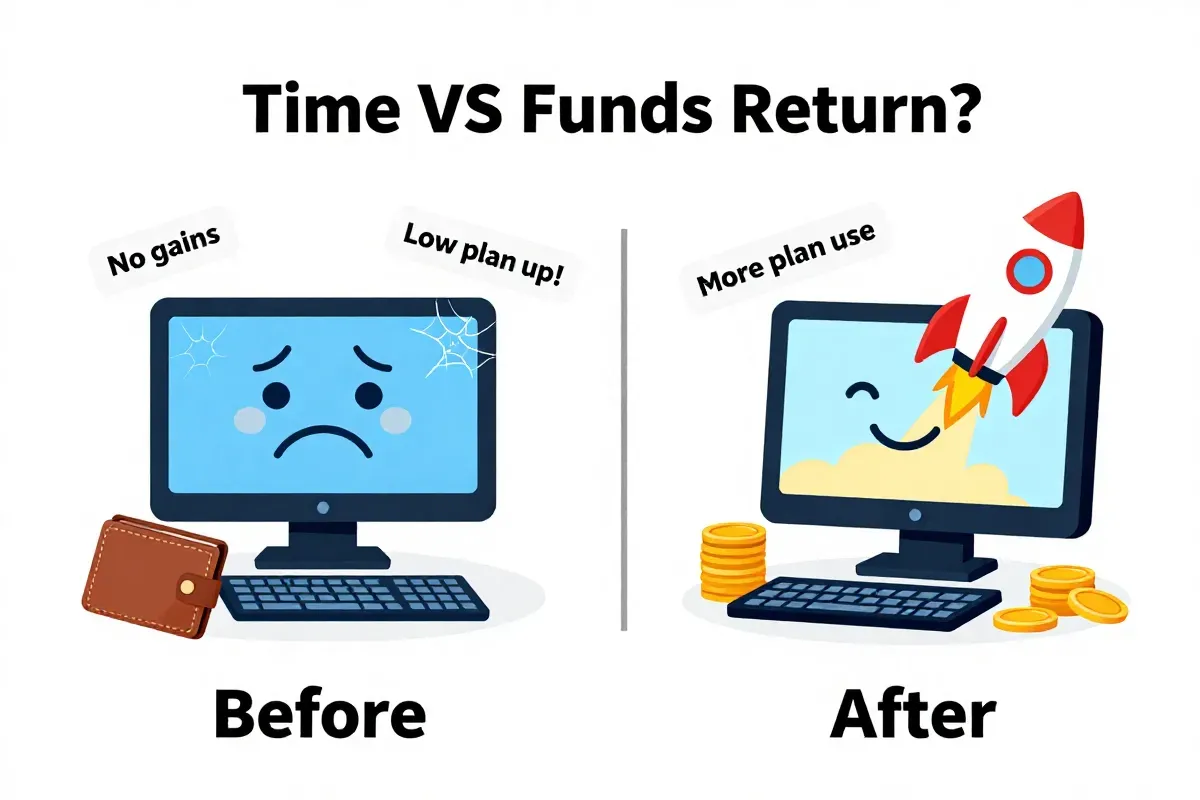
- But the question is, can you do it in time?
But here's the kicker: the cost of time isn't free. Building a content strategy, optimizing your CWS listing, and generating high-quality visual assets takes time and expertise. This opportunity cost needs to factor into your ROI calculation.
To determine the true ROI, consider these variables:
- CAC (Customer Acquisition Cost): How much does it cost to acquire a user through each channel?
- LTV (Lifetime Value): What's the average revenue you generate from a user over their lifetime?
- Time Investment: How much time does it take to implement each strategy? What's the hourly rate of your team?
- Maintenance Costs: What are the ongoing costs associated with each channel? (e.g., ad spend, content updates).
Then, run the numbers. But don't just look at the immediate ROI; project the long-term ROI over 12-24 months. You might find that the initial cost of content and SEO pays off handsomely in the long run, while paid ads become unsustainable.
Now, let's look at what happens after the install.
Selecting the right revenue model
Selecting the right revenue model can make or break your extension. Many developers leave money on the table by not thinking this through beyond the initial launch.
Freemium, tiered subscriptions, or a one-time purchase for a "Pro" version? Each has its place, but the devil is in the details. Choose wrong, and you limit growth.
- Freemium: Offer a basic version for free, then charge for premium features. This is great for attracting a large user base, but make sure the free version is truly useful and the paid features are enticing enough to upgrade. (Don't cripple the free version so much that it's unusable.)
- Tiered Subscriptions: Offer different subscription tiers with varying features and usage limits. This caters to different user needs and budgets, but it can also over-complicate things. Keep it simple and clear.
- One-Time Purchase (Pro Version): Charge a one-time fee for a lifetime license to the full version. This is appealing to users who dislike subscriptions, but it can limit your long-term revenue potential.
But the key is to align the revenue model with the extension's value proposition. Is it a one-off utility or a tool users will rely on daily? That dictates the price.
The bigger issue? Conversions. A freemium model works if at least 2-5% of free users convert to paid. If it's lower, the juice isn't worth the squeeze.
And remember to factor in the cost of customer support, server maintenance, and ongoing development. A seemingly lucrative revenue model can quickly become unsustainable if your costs are too high. Think beyond initial revenue.
Now, let's look at what happens after the install.
Privacy rules you cannot ignore
Non-compliance with Chrome Web Store policies gets you removed faster than you can say "404."
Google's Single Purpose Policy is non-negotiable. Your extension must do one thing and do it well.
Here’s what you need to understand:
- Data Handling Disclosures: You must be transparent about what user data your extension collects, how it's used, and who it's shared with. Burying this in a vague privacy policy won't cut it. The disclosure needs to be clear, concise, and easy to find.
- User Permissions: Only request the minimum permissions necessary for your extension to function. Asking for access to a user's browsing history when all you need is their current tab URL is a red flag. Users are getting smarter about permissions, and they'll uninstall your extension faster than you can say "data breach."
- Respect User Privacy: Don't track users without their consent, and don't sell their data to third parties. This is not just a legal requirement; it's a moral one. Building trust is essential for long-term success.
Google actively audits extensions for compliance. Don't skirt around these rules.
But how do you ensure compliance? Consult the official Chrome Web Store developer documentation. Read it closely. Implement the guidelines diligently.
Next, let's look at what happens after the install.
Common questions about extension marketing
Ranking time depends on competition, but think in quarters, not weeks. Extensions compete against other extensions and general search results.
- Highly competitive keywords: Expect 6-12 months to see significant ranking improvements.
- Less competitive keywords: You might see movement in 3-6 months.
The key is consistent effort. CWS SEO isn't a one-time thing. It requires ongoing optimization, link building, and promotion.
The bigger question? Is "black hat" SEO ever worth it for extension installs? Absolutely not. Google actively penalizes extensions that violate its policies. Buying fake reviews, engaging in keyword stuffing, or using deceptive practices will get your extension removed from the Chrome Web Store, permanently.
Also, don't buy installs. It’s tempting, but fake installs do not translate to real user engagement. The Chrome Web Store algorithm considers user ratings and usage statistics (downloads vs. uninstalls). So, while it might give you a temporary boost, the low retention will hurt your rankings.
But do extension reviews matter more than the score? Yes, but not how you think. A high score with few reviews looks suspicious. The CWS algorithm values a healthy balance of both. Think quantity and quality. Encourage satisfied users to leave reviews, and respond to negative reviews professionally and constructively. To broaden your SaaS reach, consider your guide to SaaS growth through directory submissions.
What's next? Put this knowledge to work. Start optimizing your extension's listing, building backlinks, and engaging with your target audience. The grind never stops.
Ready to build high-quality backlinks?
We'll submit your product to 100+ directories and build valuable backlinks for your SEO. Save hours of manual work so you can focus on what's important — selling and building, not submitting boring forms.