You can publish 50 blog posts, nail your product, and still get crickets from Google. Ahrefs looked at billions of pages and found that 96.55% get zero search traffic. That is not a content problem. It is usually a tooling and execution problem: wrong topics, weak pages, broken indexing, or no authority to compete.
The good news: you do not need a $400-1,000/month tool stack to build predictable organic growth. The right affordable SEO tools help you pick winnable keywords, ship cleaner pages, fix crawl issues fast, and measure what actually drives signups. If you are a solo founder, this stack keeps costs low and momentum high.
What counts as an affordable SEO tool?
Affordable SEO tools are products that solve a specific SEO job (keywords, audits, links, tracking) at a price that makes sense for your current revenue stage, usually under $100/month per core function. A tool is only affordable if it saves you time or prevents costly mistakes more than it costs.
A simple test before you pay
Use this checklist:
- Time saved: does it replace manual work you do every week?
- Decision clarity: does it reduce guessing?
- Limits that match your site: pages crawled, keywords tracked, projects, exports.
- Data freshness: how often the dataset updates?
- Workflow fit: integrates with your CMS, analytics, and reporting habits.
- Exit plan: can you export everything if you cancel?
If a tool fails two of these, it is not affordable. It is a subscription you will resent.
Start with the free baseline stack (most people skip this)
The fastest way to waste money is paying for a fancy suite while your basics are broken. Before any paid tool, set up a baseline stack that answers three questions: are you indexed, are you discoverable, and do visitors convert?
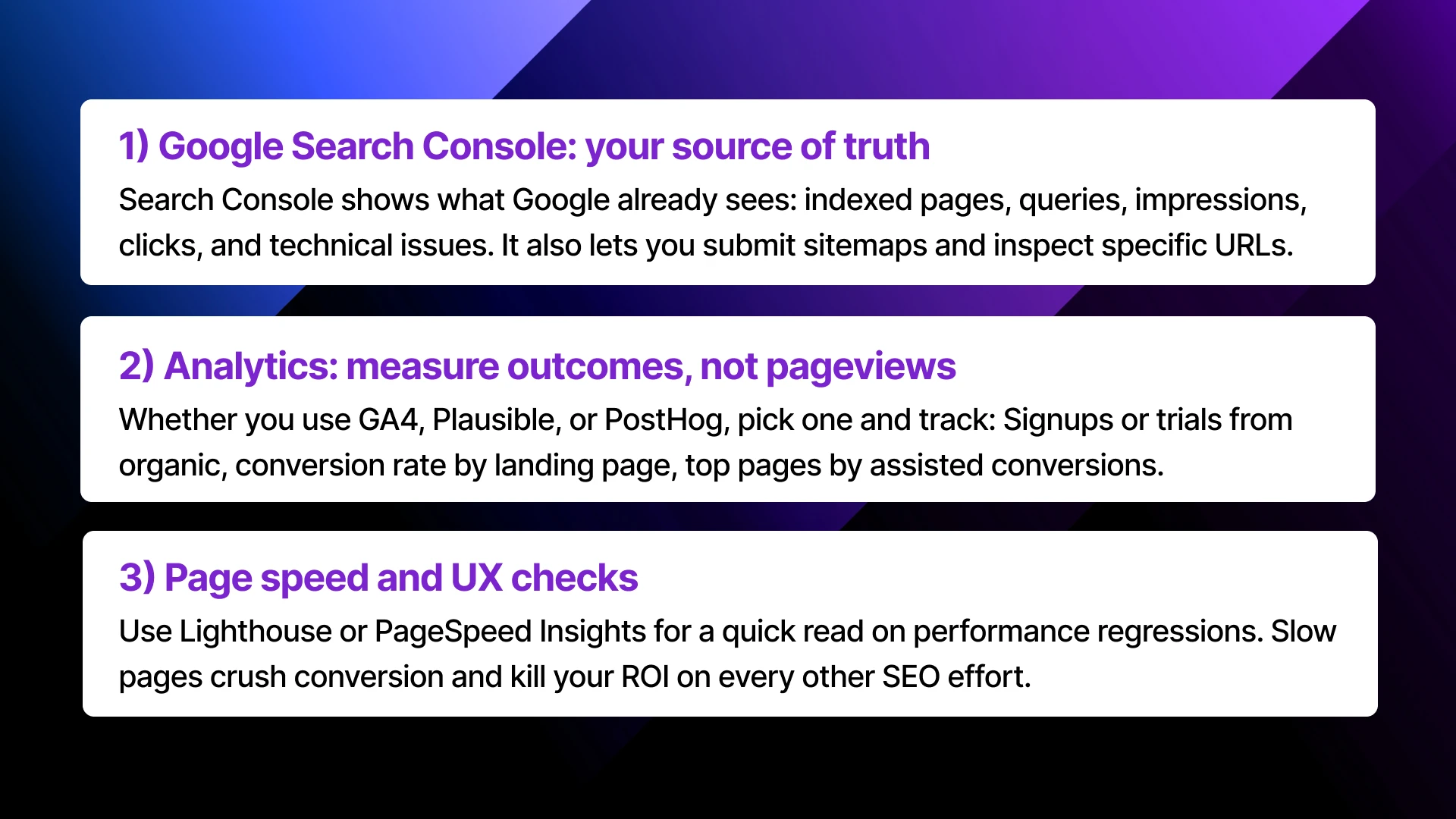
Submitting a sitemap is a hint, not a guarantee, but it helps you diagnose issues and confirm Google can access your URLs.
If your sitemap is clean and your important pages still do not index, that is a technical task, not a content task.
Affordable keyword research tools that find winnable topics
Keyword research tools all promise “easy wins.” The real value is understanding competition and what the searcher wants fast, then building a short list of topics you can actually own.
Quick comparison table
| Tool type | Best for | Typical cost | Trade-off |
|---|---|---|---|
| Lightweight keyword suites | Fast ideas, competitor snapshots | ~$30-50/mo | Data depth is lighter than premium suites |
| Long-tail finders | Finding weak search results you can beat | ~$20-30/mo | You still need judgment on page quality |
| Credit-based extensions (Keywords Everywhere) | “Good enough” volume while browsing | ~$10-20/mo credits | Not a full workflow on its own |
| Free sources (GSC, Trends, forums) | Real user language and demand signals | $0 | Requires manual synthesis |
The founder workflow that beats “infinite keyword lists”
- Start from pain + outcome phrases, not generic head terms.
- “Invoice automation for freelancers” beats “invoicing software”
- Validate demand using:
- Search Console (if you have any traffic)
- Trends (to avoid dead categories)
- Reddit and niche communities (to capture exact wording)
- Open the top results and score them quickly:
- Are they outdated? thin? irrelevant? all big brands?
- Do they answer the question in the first screen?

Affordable technical SEO tools that prevent invisible pages
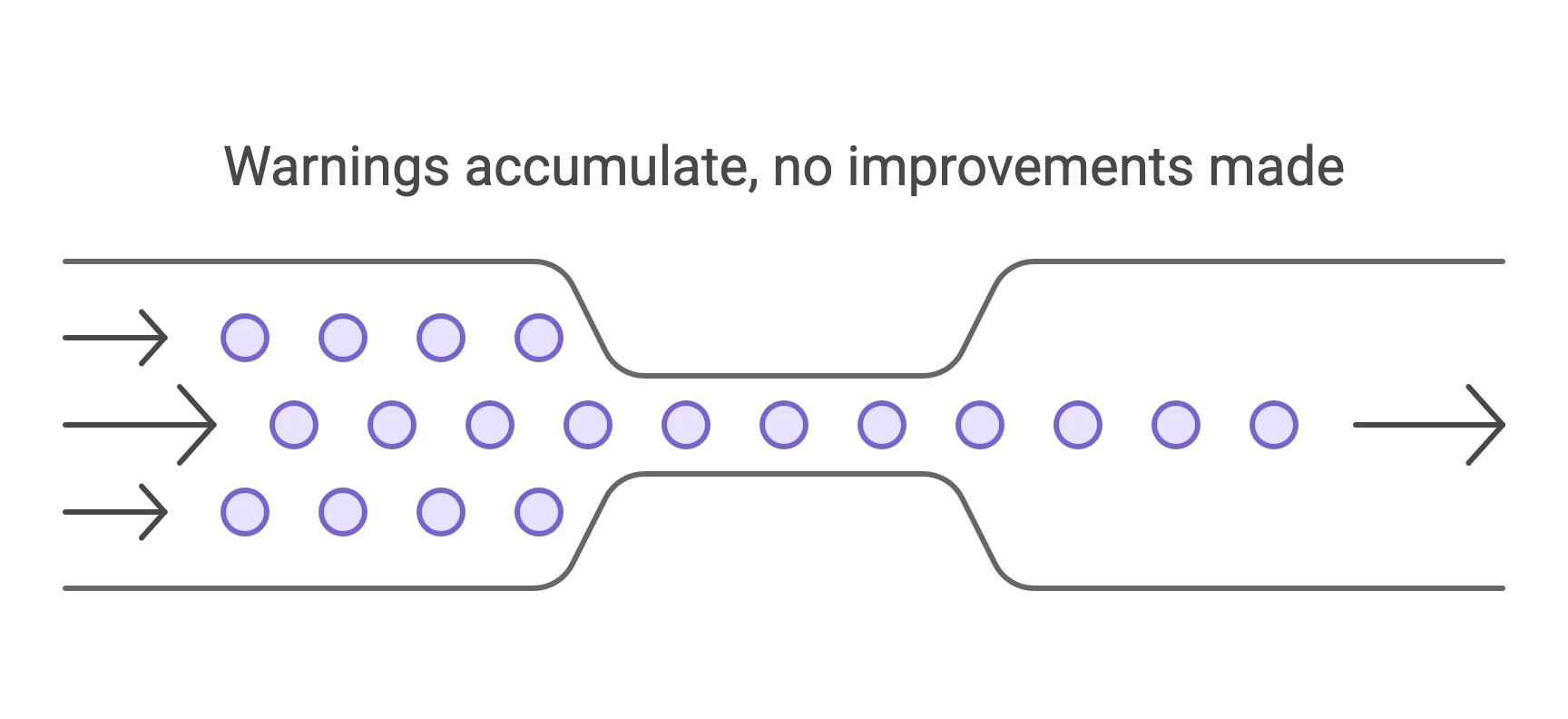
Technical SEO is not glamorous, but it is where most early-stage sites leak growth. A single canonical mistake can bury your entire blog.
Crawl your site like Google does
A crawler tool is worth it when you have:
- More than ~100 pages
- Frequent product or marketing deploys
- Multiple templates (blog, docs, landing pages)
Two common “quiet killers” that show up in crawls:
- Index bloat: tag pages, parameter pages, and duplicates stealing crawl budget
- Broken internal linking: orphan pages that never get discovered
Screaming Frog is the classic budget crawler: free for small crawls, paid when you need scale and advanced exports.
Use audits for priority, not perfection
A useful audit is a short list of fixes that move the needle:
- Broken pages (4xx, 5xx) and redirect chains
- Wrong canonicals and noindex mistakes
- Missing titles/meta on key pages
- Thin pages that should be consolidated
- Slow templates that hurt conversions
Affordable on-page and content tools that lift existing rankings
Most pages that are close to ranking do not need a rewrite. They need better structure, clearer answers, and tighter internal linking.
The cheapest win: update pages already getting impressions
In Search Console, filter for queries where:
- Average position is 6-20
- Impressions are meaningful
- The page matches what the searcher wants
Then make targeted edits:
- Add a 40-60 word answer at the top (definition or direct solution)
- Expand the section that actually drives clicks (often pricing, templates, or steps)
- Add internal links to your money pages (features, use cases, pricing)
Content scoring tools: use them as guardrails
Affordable content editors can help you cover subtopics and avoid missing obvious terms. The trap is writing to the tool instead of the reader.
A practical rule:
- If the tool suggests 50 related terms, pick the 10 that improve clarity.
- If you cannot explain why a term matters, do not force it in.
Affordable rank tracking and reporting tools
If you track too much, you stop acting. If you track too little, you convince yourself nothing works.
What to track early
Track a small set of keywords tied to revenue:
- 5-10 “problem” keywords (use case + solution)
- 5-10 “category” keywords (your niche)
- 5 “comparison” keywords (alternative to X)
Then track:
- Rank trend over 30-90 days
- Click-through rate changes after title updates
- Conversions from the top landing pages

Reporting that founders actually read
A weekly one-page report is enough:
- Pages with the biggest impression gains
- Pages that dropped (and why)
- Top converting organic pages
- Two actions for next week
If you run an agency, clone that into a template and ship it automatically.
Affordable backlink building tools and workflows (without spam)
Links are where budgets explode because people buy the wrong kind. Low-quality directories and random guest posts do not build defensible authority. Good links come from relevance, real discovery, and reputable sites.
Directory submissions as a budget-friendly foundation
Directories work when you treat them like a portfolio, not a blast.
Launch Directories exists for this exact problem: it is a curated database of 100+ launch directories with verified DR, traffic stats, and link types (dofollow/nofollow), and the data is checked monthly so you do not waste time on dead listings.
How to use that in a smart way:
- Start with 10-15 high-fit directories in your category.
- Prioritize dofollow links when possible, but do not ignore high-traffic nofollow platforms for discovery.
- Customize the description slightly for each directory so you do not look syndicated.
When manual submissions beat doing it yourself
Submitting to 60-100 directories is not hard, it is just tedious. The cost is founder hours and inconsistent quality.
If you want it off your plate, Launch Directories runs a done-for-you manual submission service that lists your product across 100+ directories, then gives you a report of what got submitted and what was skipped.
The underrated linkable asset for builders: a niche directory
One of the cleanest link magnets is building a tiny directory in your niche: “best payroll tools for contractors,” “open-source CRM for startups,” “AI meeting notes for sales,” and so on.
If you want to ship one fast, a Next.js directory boilerplate like Dirstarter can help you launch with payments and SEO basics already wired.
Pick your stack by stage and budget
The cheapest stack is not “all free.” It is the stack that removes your current bottleneck.
Stack recommendations
| Stage | Goal | Suggested stack | Budget |
|---|---|---|---|
| Pre-launch or < 1,000 visits/mo | Get indexed + validate demand | Search Console, analytics, lightweight keyword tool, basic site crawl | $0-50/mo |
| Early traction | Turn content into signups | Add rank tracking, content brief tooling, regular crawls, directory submissions | $50-150/mo |
| Scaling | Compete and defend rankings | Better backlink analysis, content ops, reporting automation, outreach support | $150-400/mo |
Sometimes the most affordable move is a one-time strategy review. A clear backlink plan saves months of guessing and tool spend. Launch Directories offers backlink strategy consulting when you want a second set of eyes.
with 100+ Directory Listings
Skip the grind. We'll submit your product to top directories so you get real users, feedback, and lifetime backlinks without lifting a finger.
Practical application: A 14-day budget SEO sprint
Day 1-2: Diagnose
- Connect Google Search Console and your analytics (GA4, Plausible, PostHog - pick one).
- Export queries where you rank positions 6-20 and group them by goal (problem, comparison, pricing).
- Pick 3 pages that already have impressions and map each to one primary query.
Day 3-4: Choose winnable topics
- Use a lightweight keyword tool (Mangools, Ubersuggest, or Keywords Everywhere) to find 10 long-tail variants per primary query.
- Open the top results for each keyword and note what they miss: outdated steps, no examples, weak screenshots, unclear pricing.
- Commit to 3 improvements you can ship in a day per page.
Day 5-6: Fix blockers
- Crawl your site (Screaming Frog free is enough for small sites) and fix the top issues that affect discovery: wrong canonicals, accidental noindex, broken internal links, redirect chains.
- Submit your sitemap and inspect the 3 target URLs until they are indexed.
Day 7-10: Improve pages
- Add a crisp 40-60 word answer near the top, then expand the section that best matches the query (steps, templates, pricing, examples).
- Add 3-5 internal links from related posts and docs into each target page.
- Update title tags to be specific (include the outcome, not just the topic).
Day 11-14: Build authority and track
- Submit to 10-15 relevant directories with real traffic and strong DR. If you want to move faster, use a curated list like LaunchDirectories to avoid dead or low-value sites.
- Set up rank tracking for only the 15-25 keywords tied to those pages and review weekly.
Conclusion
Affordable SEO tools are not about finding the cheapest subscription. They are about buying leverage. Start with the free baseline so you are not blind. Add keyword research to pick battles you can win. Use crawlers and audits to stop technical mistakes from hiding your best pages. Then compound authority through smart directory submissions and a small set of linkable assets. The right affordable SEO tools make SEO feel less like hope and more like an engine you can tune.
If you want a shortcut on the authority layer, start with a curated directory list and a repeatable submission process, then spend your saved time on pages that convert.

FAQ
What are the best affordable SEO tools for a new website?
Start with free essentials: Google Search Console, analytics, and a sitemap. Add one lightweight keyword research tool to pick winnable topics, then a basic crawler once you cross 100+ pages. A small rank tracker is useful once you have 10-20 target keywords.
Are free SEO tools enough to rank?
Free tools can get you surprisingly far, especially for technical health and early keyword discovery. The limit is speed and depth. Paid tools help you move faster with competitive research, tracking, and auditing at scale. Most founders do best with a hybrid stack.
How much should a startup spend on SEO tools?
A lean setup is often $0-50/month until you have consistent publishing and a few pages with impressions. Once you are updating pages and tracking outcomes, $50-150/month is a healthy range. Spend more only when tooling is the bottleneck, not execution.
Which affordable SEO tools are best for backlinks?
Start with free backlink checks and a workflow that prioritizes quality. For early authority, directory submissions can be a cost-effective base if you choose reputable, relevant listings. A curated database that includes DR, traffic, and link type data saves time and avoids spammy directories.
What is the fastest way to see results with a small SEO budget?
Fix indexing and technical blockers first, then improve pages close to ranking (positions 6-20). Add internal links, tighten on-page answers, and build a small set of high-quality backlinks. This approach usually beats publishing more new content on a small budget.
Ready to build high-quality backlinks?
We'll submit your product to 100+ directories and build valuable backlinks for your SEO. Save hours of manual work so you can focus on what's important — selling and building, not submitting boring forms.